Output Devices
| Device | Usage |
| Monitor A monitor is the most common output device that displays text and graphics on screen. Monitors are used to show temporary output i.e. softcopy. |
|
| CRT Monitor | |
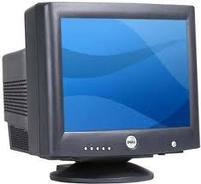 |
CRT stands for cathode ray tube. CRT monitors are considerably heavier than other types and use lots more power than Plasma or LCD displays. However they do have special advantages.
Negatives of the CRT include radiation emission,high power consumption, weight and bulk. |
| TFT Monitor | |
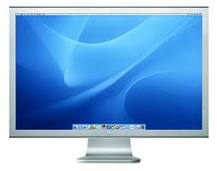 |
A TFT monitor uses thin-film transistor technology for the ultimate LCD display. LCD monitors, also called flat panel displays, are replacing the old style cathode ray tubes (CRTs) as the displays of choice. Nearly all LCD monitors today use TFT technology.
The benefit of a TFT monitor is a separate, tiny transistor for each pixel on the display. Because each transistor is so small, the amount of charge needed to control it is also small. This allows for very fast re-drawing of the display, as the image is re-painted or refreshed several times per second. A TFT monitor delivers crisp text, vibrant color and an improved response time for multimedia applications. |
| Multimedia Projector | |
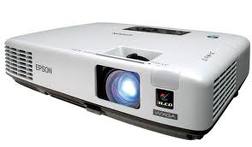 |
Multimedia projector is used to project images, video etc. onto a surafce, normally a projection screen. |
| Printer It is an output device to produce paper copy (hard copy) for a document, pictures etc. The job of a printer is to put on paper what is seen on the monitor. Printers vary mainly in cost, quality, speed and noise levels. Eg: Dot Matrix Printer, Inkjet /Deskjet / Bubblejet Printer, Laser Printer. The printers are classified as under:
|
|
| Laser printer | |
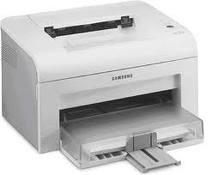 |
These printers use a technique, which is a combination of laser and Xerox technology. The technology involves dry powder based ink, which is adhered to a drum through magnetic force, and when a paper is passed through the drum it releases ink on that paper. These are the fastest available printers in the category and are most suitable for uses involving high-speed quality prints. |
| Inkjet/Deskjet/Bubblejet Printer | |
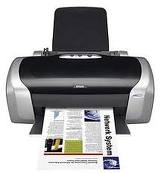 |
Printers in this category are most popular. These printers are very low priced with high running/maintenance cost. These printers work on liquid ink technology and print the image using circuit-controlled jet of ink. An inkjet sprays the ink onto the paper in tiny droplets to form text and graphics. Printing speed of these printers is not very high compared to Laser Printers. These printers are suitable for people having less printing jobs with a desirable print quality. These printers are available in 'Coloured' and 'Black & White' options. |
| Dot matrix printer | |
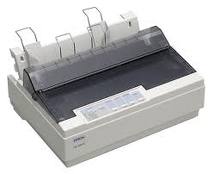 |
Printers in this category print the characters / images using dots through inked ribbon. These printers are very economic and require very less maintenance cost. The print quality of the dot matrix printer is decided by the quantity of pins it has. The number of the pins can vary from nine to twenty four, depending on the kind of dot matrix printer. When compared to the other kind of printers, like the laser printers or the ink jet printer, the dot matrix printer is much more expensive. The dot matrix printer has a tendency to make a lot of noise when compared to the other kinds of printers. This is why the dot matrix printer is not very popular among customers. Quality of print in this category is not very high but is highly suitable for printing situations requiring multiple copies. |
| Graph plotter | |
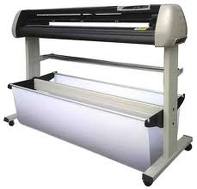 |
Plotters are expensive output
devices specially designed to
produce outputs of diagrams,
illustrations and other graphics.
|
| Speakers | |
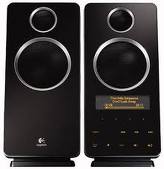 |
Speaker is the computer peripherals that emit music, voices, and other sounds. |
| Computer controlled devices in Control applications Technology has touched almost all aspects of our Life. Whether it is banking, telecom, communication, Health, engineering or automated processes Computer controlled devices not only make our lives Convenient but also enable us to take important Decisions. A computer controlled device accepts physical inputs from external source and pairs this information with computer controlled instructions to perform specific function. |
|
| Actuators | |
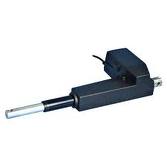 |
Actuators are used to convert energy e.g. Computer signals into motion-linear, motion, or oscillatory. |
| Motors | |
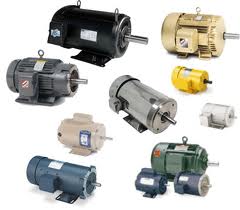 |
The most common form of motor used with computer is the stepper motor. Motors are used in many computer control applications:
|
| Buzzers | |
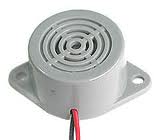 |
A buzzer is an audio signaling device. An actuator is connected from the computer to the buzzer. The actuator is set to switch the buzzer on or off. Buzzers are used in many computer control applications:
|
| Heaters | |
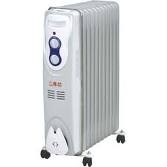 |
A heater is device that emits heat. An actuator is connected from the computer to the heaterand set to switch the heater either on or off. Heaters are used in many computer control applications:
|
| Lights/lamps | |
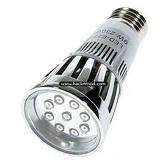 |
Light make things visible. An actuator is connected from the computer to the light bulb and set to switch the light either on or off. Lights are used in computer controlled greenhouses to increse the amount of light for the plants. |
